
In summary:
- Finding a doctor in Montreal is not about passively waiting; it’s about actively navigating the system’s different entry points.
- Use the ‘Guichet d’accès à la première ligne’ (GAP) via 811 to get needs-based appointments while you’re on the main waitlist (GAMF).
- Strategically choose between CLSCs, private clinics, and telehealth based on urgency, cost, and availability to avoid unnecessary ER visits.
- Actively manage your ‘Carnet Santé Québec’ and referral priority to improve your access to care.
You’ve successfully moved to Montreal, a city brimming with culture and opportunity. You’ve sorted out your apartment, maybe even braved your first winter. But then a non-urgent health issue arises, and you’re faced with a stark reality: you don’t have a family doctor. The common advice you’ll hear is to register on the provincial waitlist, the ‘Guichet d’accès à un médecin de famille’ (GAMF), and simply wait. For many newcomers, this passive approach leads to frustration and unnecessary, long waits in an emergency room for minor issues.
This feeling of being lost in a complex system is common, especially when faced with a sea of acronyms like CLSC, GAMF, GAP, and CRDS. The default solution often becomes the ER, a path that is not only inefficient for you but also puts a strain on an already overburdened system. But what if the key wasn’t just to wait longer or hope for the best? What if the secret was to understand the system from an insider’s perspective and learn how to actively navigate its various entry points?
This guide is designed to do exactly that. It transforms you from a passive waiter into an empowered navigator of the Quebec healthcare system. We will break down each access point—from the much-discussed GAMF to the often-underutilized Info-Santé 811 service and the new ‘Guichet d’accès à la première ligne’ (GAP). You will learn the strategic « why » and « when » for choosing a CLSC over a private clinic, the critical importance of your referral priority ranking, and how to make telehealth work for you. This is your roadmap to getting the right care at the right time in Montreal.
To help you navigate this essential information, this article is structured to provide clear, actionable strategies for each part of the healthcare system. Explore the sections below to gain control over your healthcare journey in Quebec.
Summary: An Insider’s Guide to Navigating Montreal’s Healthcare System
- Why Is the ‘Guichet d’accès à la première ligne’ Your Best Option Without a Doc?
- How to Use Info-Santé 811 to Avoid an Unnecessary ER Visit?
- CLSC or Private Clinic: Where to Go for a Blood Test on a Saturday?
- The 10-Hour Mistake: Going to the ER for a Condition Rated P4 or P5
- How to Ensure Your ‘Carnet Santé Québec’ Is Up to Date?
- Why Your Referral Priority Ranking Affects Your Wait Time?
- Teleconsultation vs In-Person: Which Is Better for a Skin Rash?
- How to See a Medical Specialist in Quebec Without Waiting 12 Months?
Why Is the ‘Guichet d’accès à la première ligne’ Your Best Option Without a Doc?
For any newcomer, the first step is registering on the ‘Guichet d’accès à un médecin de famille’ (GAMF). This is the official provincial waitlist for a family doctor. However, with over 600,000 Quebecers registered on GAMF as of early 2024, it’s clear that registration is just the beginning of a long journey. Passively waiting is not a viable strategy for managing your health. The key is to understand that the GAMF is now integrated with a more active system: the ‘Guichet d’accès à la première ligne’ (GAP), or Primary Care Access Point.
The GAP is designed to serve people who are on the GAMF waitlist (or have a doctor who is unavailable) and have a specific, non-emergency health need. Instead of going to a walk-in clinic or the ER, you call Info-Santé 811 (option 3). A nurse will assess your situation and, if appropriate, book an appointment for you with a suitable healthcare professional—be it a doctor, a nurse practitioner, or another specialist in your local area. This is the official, recommended pathway.
Your role is not just to wait, but to actively manage your file and use the system’s tools. Your health status can change, and ensuring your GAMF profile reflects this is crucial. A worsening condition can increase your priority level, potentially shortening your wait. The system is not a black box; it’s a dynamic queue that you can influence through proactive updates and proper use of its designed access points like the GAP.
Your Action Plan: Actively Managing Your Waitlist Status
- Register on the waitlist online via the Quebec Family Doctor Finder (GAMF) portal or by calling your local ‘Guichet d’accès pour la clientèle orpheline’ (GACO).
- Update your health status regularly on the GAMF platform. Changes in your health condition can significantly improve your priority ranking.
- For specific health problems while waiting, book appointments online with nurse clinicians at CLSCs via the ClicSanté portal.
- Call 811 and select option 3 for help with GAP services. This allows you to get assistance and receive callbacks without waiting on hold.
- Use the ‘Service québécois de changement d’adresse’ when you move to automatically update your contact information across all government files, including the GAMF.
By treating the waitlist as a file to be managed rather than a line to be stood in, you shift from a passive recipient of care to an active participant in your own health journey.
How to Use Info-Santé 811 to Avoid an Unnecessary ER Visit?
Info-Santé 811 is one of the most powerful yet underutilized tools for newcomers in Quebec. Many see it simply as a health advice line, but it’s a multi-faceted triage and navigation hub designed specifically to direct you to the right resource and prevent unnecessary visits to the emergency room. For someone without a family doctor, thinking of 811 as your first call for any non-life-threatening concern is a fundamental shift in strategy.
The service is available 24/7 and is more than just a nurse on the phone. When you call, you have several options. Option 1 connects you to an Info-Santé nurse for immediate health questions. Option 2 connects you to Info-Social for psychosocial support. The most critical one for navigating the system is Option 3, which connects you to the GAP (Primary Care Access Point). This is your direct line to getting an appointment for a specific health issue when you don’t have a doctor.
Using 811 effectively means being prepared. Before calling, have your RAMQ card (health insurance card) ready, a list of your symptoms, and any medications you are taking. This allows the nurse to perform an efficient and accurate triage, determining whether your situation can be resolved with home care advice, requires a GAP-booked appointment, or truly warrants a visit to the ER.

As this image suggests, the service provides a human connection to a complex system. The goal of the 811 professional is to listen with empathy and guide you toward the most appropriate entry point for your specific need. This professional guidance is invaluable, saving you time and stress while ensuring you receive the correct level of care.
By embracing 811 as your initial point of contact, you leverage a system designed to help you, making informed decisions instead of defaulting to the ER out of uncertainty.
CLSC or Private Clinic: Where to Go for a Blood Test on a Saturday?
Imagine your doctor from a telehealth appointment has prescribed a blood test. Now you face a classic Montreal dilemma: where do you go to get it done? You have two main options, each with distinct advantages and disadvantages: the public Centre Local de Services Communautaires (CLSC) or a private laboratory like Biron or Dynacare. Your choice will depend on three factors: urgency, cost, and convenience.
CLSCs are the public-facing service points of the healthcare system. Getting a blood test done at a CLSC is free with your RAMQ card. However, this comes at the cost of time. You typically need to book an appointment weeks in advance via the ClicSanté portal, and weekend availability is extremely limited, if available at all. This option is ideal for routine, non-urgent tests where you can plan ahead.
Private labs offer a stark contrast: speed and convenience for a price. You can often book an appointment online for the same day or the next, including on Saturday mornings. This is invaluable if your need is urgent or if your work schedule makes weekday appointments difficult. The cost, however, can range from $50 to over $100 depending on the tests, and you must pay out-of-pocket as it’s not covered by RAMQ. Another key difference is how you get your results; CLSC results are automatically uploaded to your ‘Carnet Santé Québec’, while you must manually upload results from a private lab.
This decision is a perfect example of strategic triage. There is no single « best » answer; the right choice depends entirely on your personal situation. To make this decision clearer, a direct comparison is helpful, as shown by data on service availability and wait times.
| Criteria | CLSC (Public) | Private Lab |
|---|---|---|
| Cost | Free with RAMQ card | $50-$100 per test |
| Booking Wait | 2-4 weeks via ClicSanté | 24-48 hours online |
| Weekend Availability | Limited or closed | Saturday available |
| Result Delivery | Auto-uploads to Carnet Santé | Manual upload required |
| Best For | Routine, non-urgent tests | Urgent needs, weekend access |
Ultimately, knowing when to leverage the speed of the private system and when to use the free public system is a core skill for effectively managing your healthcare in Quebec.
The 10-Hour Mistake: Going to the ER for a Condition Rated P4 or P5
For newcomers without a family doctor, the emergency room (ER) often seems like the only door to healthcare. However, this is a misconception that can lead to what we call the « 10-hour mistake. » Quebec ERs use a triage system that prioritizes patients from P1 (most critical, e.g., cardiac arrest) to P5 (non-urgent, e.g., prescription renewal). If you arrive with a condition classified as P4 or P5, you will be systematically de-prioritized in favor of more urgent cases, leading to excruciatingly long waits.
The numbers paint a stark picture. The median ER wait time in Quebec is 5 hours and 13 minutes, but this is just an average. At a hospital like Anna-Laberge on Montreal’s South Shore, the median wait has been recorded at over 13 hours. This problem is compounded by severe overcrowding. In early 2024, some Montreal ERs, including the Jewish General, Lakeshore, and LaSalle hospitals, were operating at over 200% of their capacity. Showing up with a minor rash or a sprained ankle in this environment is not a strategy; it’s a recipe for a frustrating and exhausting day.
Understanding the triage priority levels is key to avoiding this mistake. Your condition will be assessed by a nurse and assigned a priority level, visually represented below by the color-coded bands used in many triage systems.

The red and orange bands (P1, P2) represent life-threatening conditions that receive immediate attention. The yellow band (P3) is for urgent but not life-threatening situations. The green and blue bands (P4, P5) are for less urgent and non-urgent conditions. These are the cases that should, whenever possible, be handled through other entry points like 811, a CLSC, or a telehealth consultation. The ER is for emergencies, not for convenience.
By learning to self-triage and respecting the role of the ER, you not only save yourself a significant amount of time but also contribute to the overall functioning of a system under immense pressure.
How to Ensure Your ‘Carnet Santé Québec’ Is Up to Date?
The ‘Carnet Santé Québec’ (Quebec Health Booklet) is your personal digital health record. For someone navigating the system without a dedicated family doctor, it is not just a convenience—it’s your most critical tool for ensuring continuity of care. When you see different professionals at various clinics, the Carnet Santé is the one constant, the central repository of your medical history that every provider can (with your consent) access.
However, its usefulness depends entirely on its accuracy and completeness. You cannot assume it updates itself perfectly. Active management is required. Public system results, like those from a CLSC blood test or a hospital visit, will typically upload automatically. But results from private clinics, specialist reports obtained privately, or even notes from a telehealth call often need to be manually uploaded by you. This is a crucial step that many people miss.
Proactive management of your Carnet Santé means treating it like your personal health dashboard. After any medical interaction, you should make a habit of checking your record to ensure the information has appeared. You also have control over your privacy, with the ability to manage consent and decide which professionals can view your file. This is particularly useful when visiting a walk-in clinic, where you can grant temporary access to the on-call doctor.
Here are the key steps for proactive management of your health record:
- Verify Data Uploads: Check your Carnet within 48-72 hours after every medical appointment or test to confirm the data is there.
- Manually Upload Private Results: Download PDFs of results from private labs (MRI, blood work, etc.) and upload them directly to the portal under the « Documents » section.
- Review Medications: Check and update your medication list monthly, especially after any prescription change, to avoid dangerous contradictions.
- Manage Privacy: Set your privacy preferences in the consent management section to control which providers can access your data, and learn how to generate temporary access codes.
- Backup Your Record: On a quarterly basis, use the function to export your complete health record as a PDF for your own personal backup.
A complete and current Carnet Santé empowers you to be a partner in your own care, providing any healthcare professional with the full picture they need to treat you effectively and safely.
Why Your Referral Priority Ranking Affects Your Wait Time?
When you finally get an appointment and a doctor determines you need to see a specialist (e.g., a cardiologist or a dermatologist), they will send a referral to the ‘Centre de répartition des demandes de services’ (CRDS), or the centralized dispatch center for service requests. This is another point in the system where you can move from being a passive waiter to an active participant. Your wait time for a specialist is not random; it is directly determined by the priority code assigned to your referral.
The CRDS uses a priority scale from A to E. A referral coded ‘A’ is for a highly urgent case that must be seen within days. A ‘C’ might be a standard referral with a wait of several months. An ‘E’ is considered elective and could result in a wait of a year or more. The crucial insight here is that the referring doctor assigns this code based on the information they have. If your description of your symptoms is vague, the impact on your life may be underestimated, resulting in a lower priority code.
This is where « priority hacking » comes in—not as a way to cheat the system, but as a method of self-advocacy to ensure your priority level accurately reflects your situation. You must actively communicate the severity and impact of your condition to the referring doctor.
Case Study: The Impact of Priority Codes in the CRDS System
The CRDS system processes thousands of referrals, sorting them based on these crucial priority codes. A patient with a referral coded ‘A’ for a potentially cancerous lesion will be scheduled for a consultation within days. In contrast, a patient with a referral coded ‘E’ for a non-painful cosmetic skin issue might wait over 12 months for the same dermatology department. Patients can influence their priority by ensuring their referring doctor includes detailed symptom descriptions, documentation of functional limitations (e.g., « inability to work, » « disrupted sleep »), and specific impacts on their quality of life in the referral letter.
To ensure you receive an appropriate ranking, you must prepare for your referral appointment. Document your symptoms with dates, frequency, and severity. Explicitly discuss the urgency with your doctor and ask them to include specific impacts on your work, sleep, and daily activities in the letter. Two weeks after the referral is sent, you can even call the CRDS to confirm they’ve received it and verify your assigned priority level.
By providing clear, detailed information, you empower your doctor to advocate for you effectively within the CRDS system, potentially shaving months off your wait time.
Teleconsultation vs In-Person: Which Is Better for a Skin Rash?
The rise of telehealth has introduced another strategic choice for patients in Quebec. Platforms like Bonjour-santé allow you to book teleconsultations, often within 24-48 hours. But is a virtual appointment always the best option? For a condition like a skin rash, the answer depends on the specifics of the situation. Choosing correctly can mean the difference between a quick resolution and needing a second, in-person visit.
Telehealth excels for certain types of dermatological issues. If you have a stable, non-spreading rash and can provide clear, high-definition photos taken in good lighting, a doctor can often make an accurate diagnosis and prescribe treatment remotely. As the official Quebec Telehealth Network guidelines note, teleconsultation is a valuable tool. The Réseau québécois de la télésanté highlights its benefits in their official guidelines:
Teleconsultation is easy to carry out, enables real-time remote exchange between patient and healthcare professional, and fits well with everyday life.
– Réseau québécois de la télésanté, Quebec Telehealth Network Official Guidelines
However, teleconsultation has its limits. If a rash has a distinct texture, is accompanied by a fever, is changing rapidly, or if the diagnosis is uncertain, an in-person visit is superior. A doctor needs to be able to touch the affected area or see it from different angles to make a proper assessment. Attempting to manage a complex case remotely can lead to a misdiagnosis or the need for a follow-up appointment, defeating the purpose of the initial consultation.
The technical requirements are also a critical factor. A successful dermatology teleconsultation relies on your ability to act as a medical photographer. This requires a high-definition camera and excellent, even lighting to capture the true color and details of the skin condition.
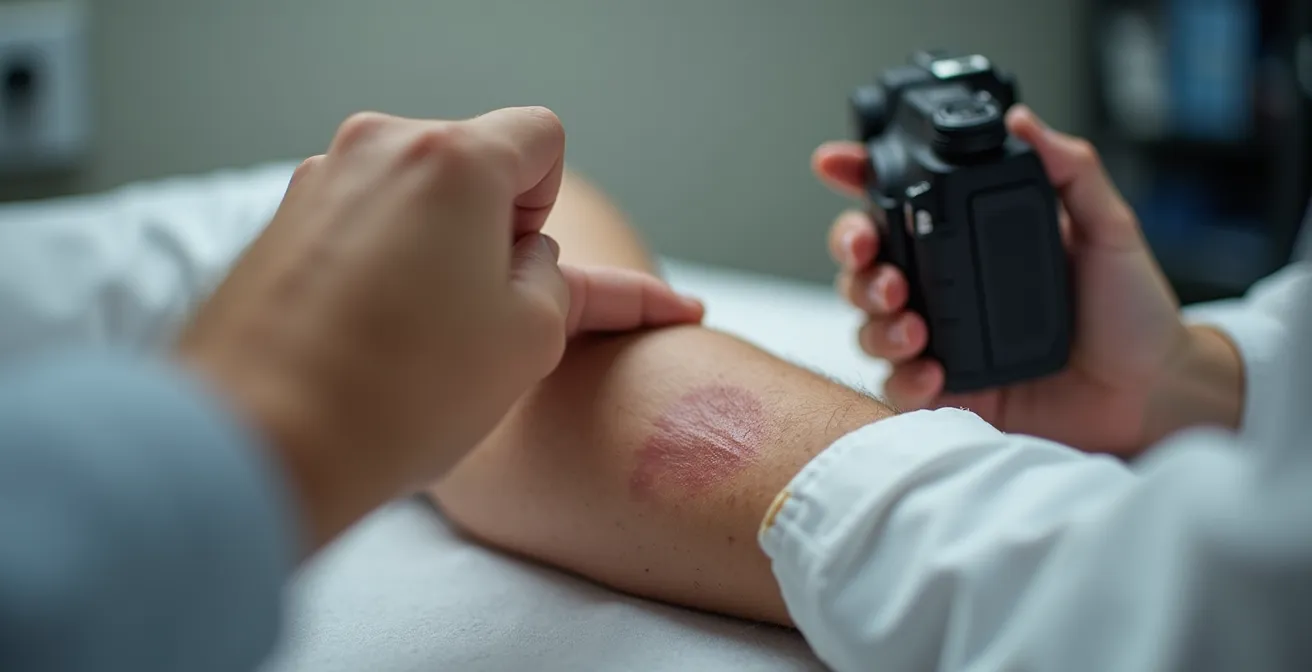
The following table breaks down the decision-making process for choosing between a teleconsultation and a traditional in-person visit for a skin condition.
| Factor | Teleconsultation | In-Person Visit |
|---|---|---|
| Best For | Stable, non-spreading rashes with clear photos | Textured rashes, fever-accompanied, rapidly changing |
| Wait Time | 24-48 hours via Bonjour-santé | Same day at walk-in clinic |
| Cost | Covered by RAMQ if prescribed | Always covered by RAMQ |
| Tech Requirements | HD camera, good lighting, stable internet | None |
| Success Rate | 70% resolved remotely | 95% resolved in single visit |
By honestly assessing your symptoms and technical capabilities, you can make the strategic choice that leads to the fastest and most effective resolution.
Key takeaways
- The Quebec healthcare system is not a single line; it’s a network of entry points that you can learn to navigate strategically.
- Active management is crucial. Update your GAMF profile, manage your Carnet Santé, and advocate for your priority ranking.
- Avoid the ER for non-urgent issues by using 811 as your first point of contact and choosing the right service (CLSC, private, telehealth) for your specific need.
How to See a Medical Specialist in Quebec Without Waiting 12 Months?
Even after mastering the primary care entry points, the final frontier for many patients is the long wait for a medical specialist. With waits that can exceed a year in Montreal for certain specialties, it can feel like an insurmountable obstacle. However, two advanced « insider » strategies can dramatically reduce this wait time: geographic flexibility and a private-public hybrid approach.
Firstly, wait times are not uniform across Quebec. There is a large disparity in service availability between urban and rural regions. While Montreal’s CRDS may be saturated, a hospital in the Eastern Townships or the Laurentians might have a significantly shorter list. Patients who are willing and able to travel can often access specialists months faster. This requires calling the CRDS and specifically asking about availability in less populated regions. The inconvenience of a two-hour drive pales in comparison to waiting an extra nine months in pain or uncertainty.
Secondly, for those who can afford it, the private-public hybrid strategy is a powerful accelerator. This involves paying out-of-pocket for an initial consultation with a specialist in the private sector, which can often be booked within weeks. This first visit, costing between $200 and $500, provides you with a swift diagnosis and a detailed treatment plan. With this official report from a specialist in hand, you can then return to the public system. You are no longer just a referral; you are a diagnosed case with a clear plan, which can prioritize you for public (RAMQ-covered) surgery or treatment.
This hybrid approach leverages the speed of the private system for diagnosis while relying on the public system for the more expensive treatment phase. Consider these powerful strategies:
- Pay for an initial private specialist consultation for an immediate diagnosis and treatment plan.
- Return to the public system with your private specialist’s report to get prioritized for RAMQ-covered procedures.
- Ask the CRDS directly about wait times and availability in other regions like the Eastern Townships or the Laurentians.
- Contact McGill University and Université de Montréal teaching clinics to inquire about participating in research studies, which can sometimes provide faster access to specialists.
Your journey through the Quebec healthcare system doesn’t have to be defined by passive waiting. By being proactive, informed, and strategic, you can navigate the complexities and access the care you need, when you need it.
Frequently Asked Questions about Carnet Santé Québec
How do I upload private clinic results to my Carnet Santé?
Access the Carnet portal, select ‘Documents’, click ‘Add Document’, upload the PDF or image files of your results, and categorize them appropriately for your record.
Why don’t I see my recent ER visit in my Carnet?
ER visit reports may take 5-10 business days to appear in your Carnet Santé. If the report is still missing after two weeks, you should contact the archives department of the hospital you visited.
Can walk-in clinic doctors see my Carnet Santé?
They can only see your record if you have granted them consent. You can provide a temporary access code during your appointment or pre-authorize specific clinics through the portal’s consent management settings.